
What is Transync AI?
Transync AI captures multilingual meetings, lets you edit saved transcripts, generates meeting notes from updated content, and exports the original record, summary, or both.
Real-time Translation with AI Meeting Notes – Capture and Understand Every Word Effortlessly
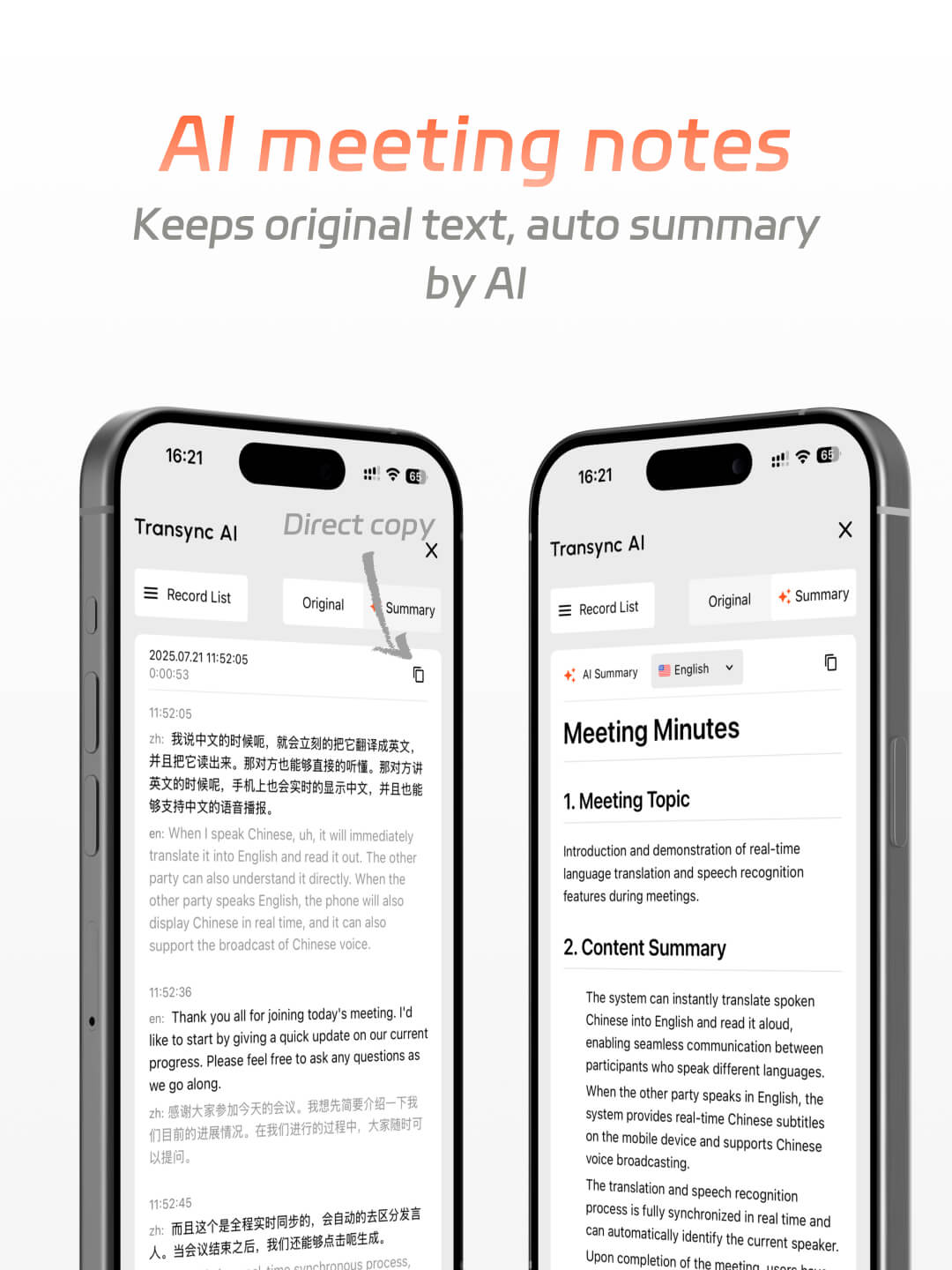
Seamless Multi-Language Translation and Smart Meeting Notes in One Tool
Setup guide
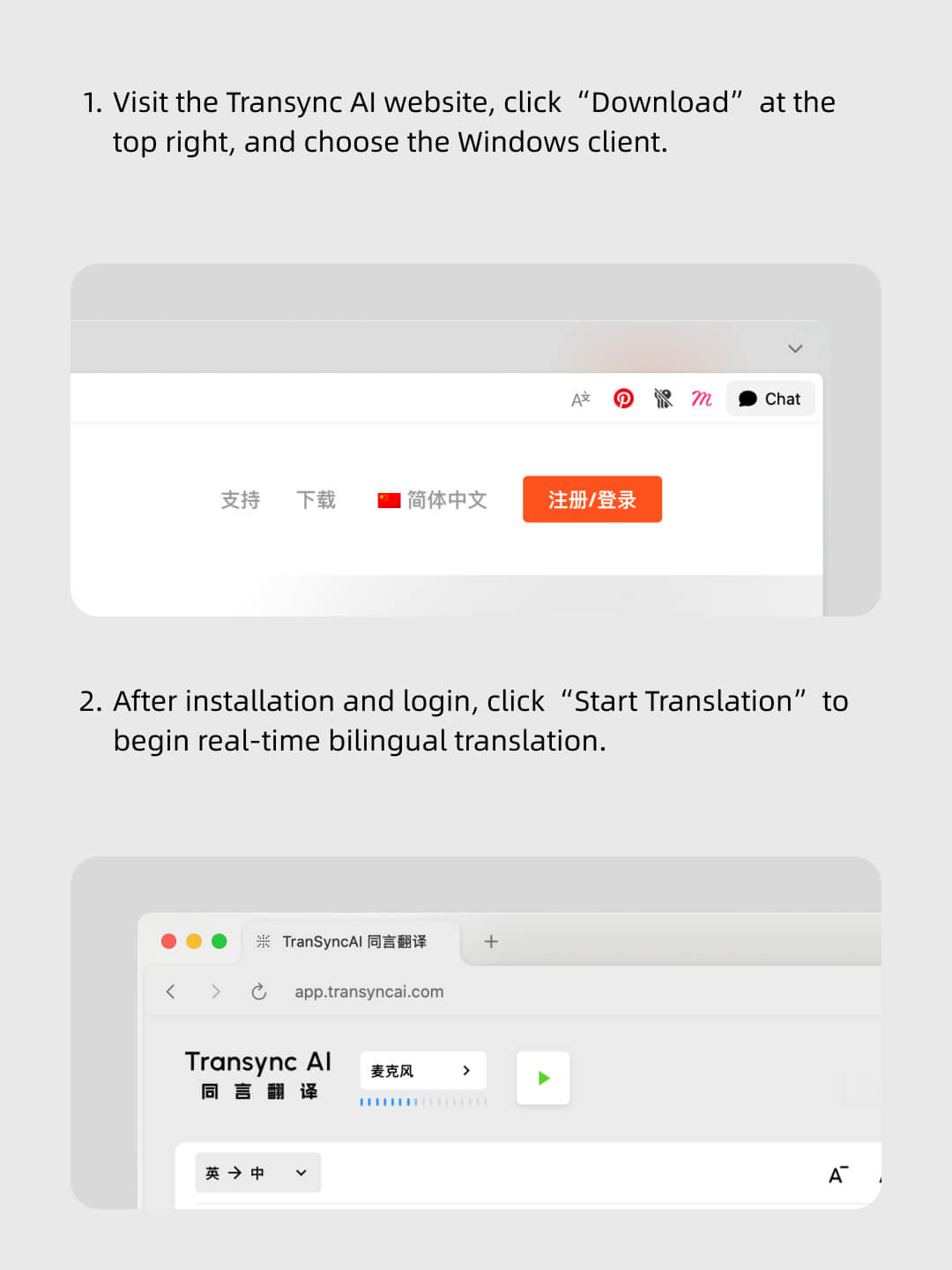
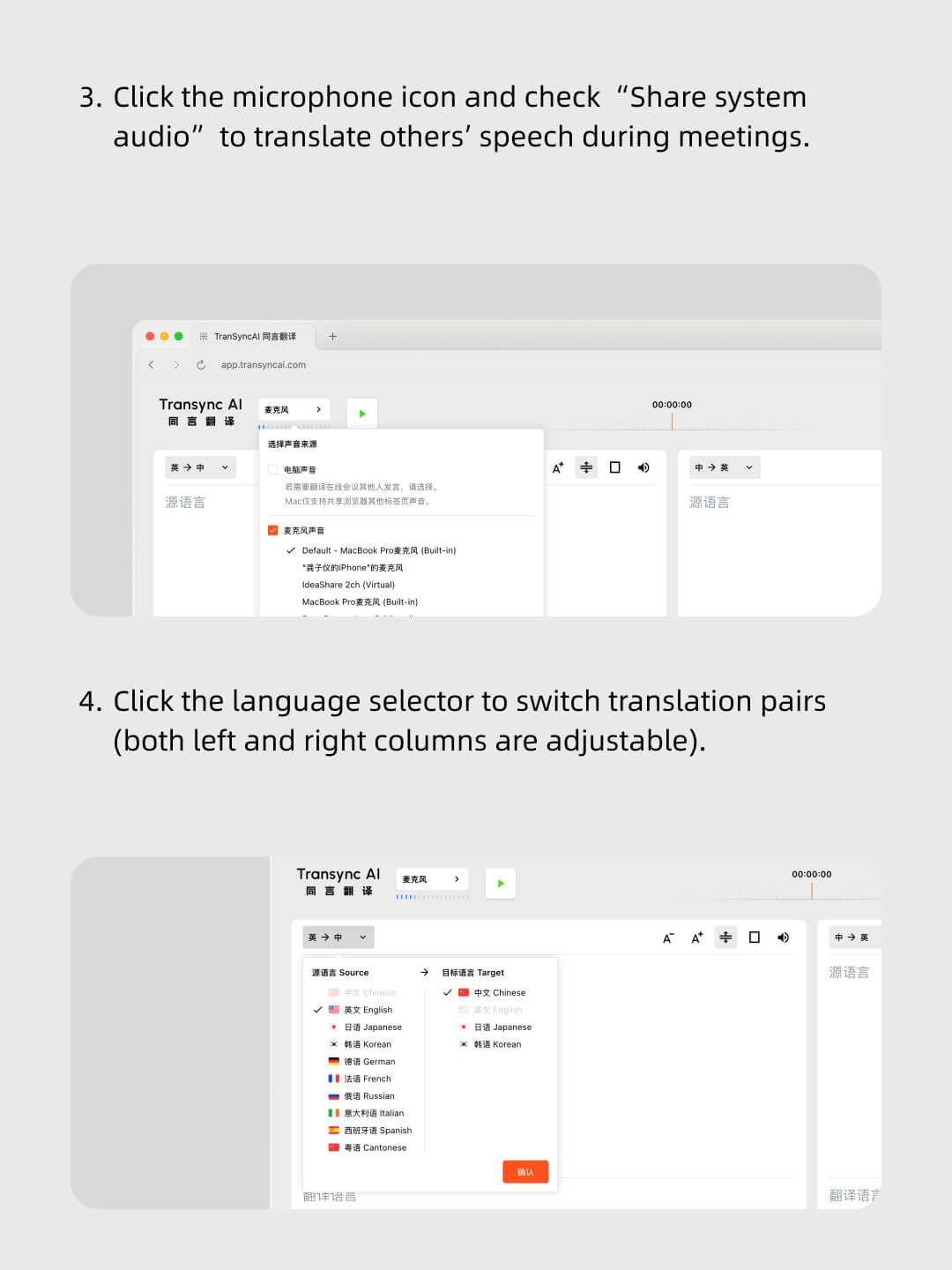
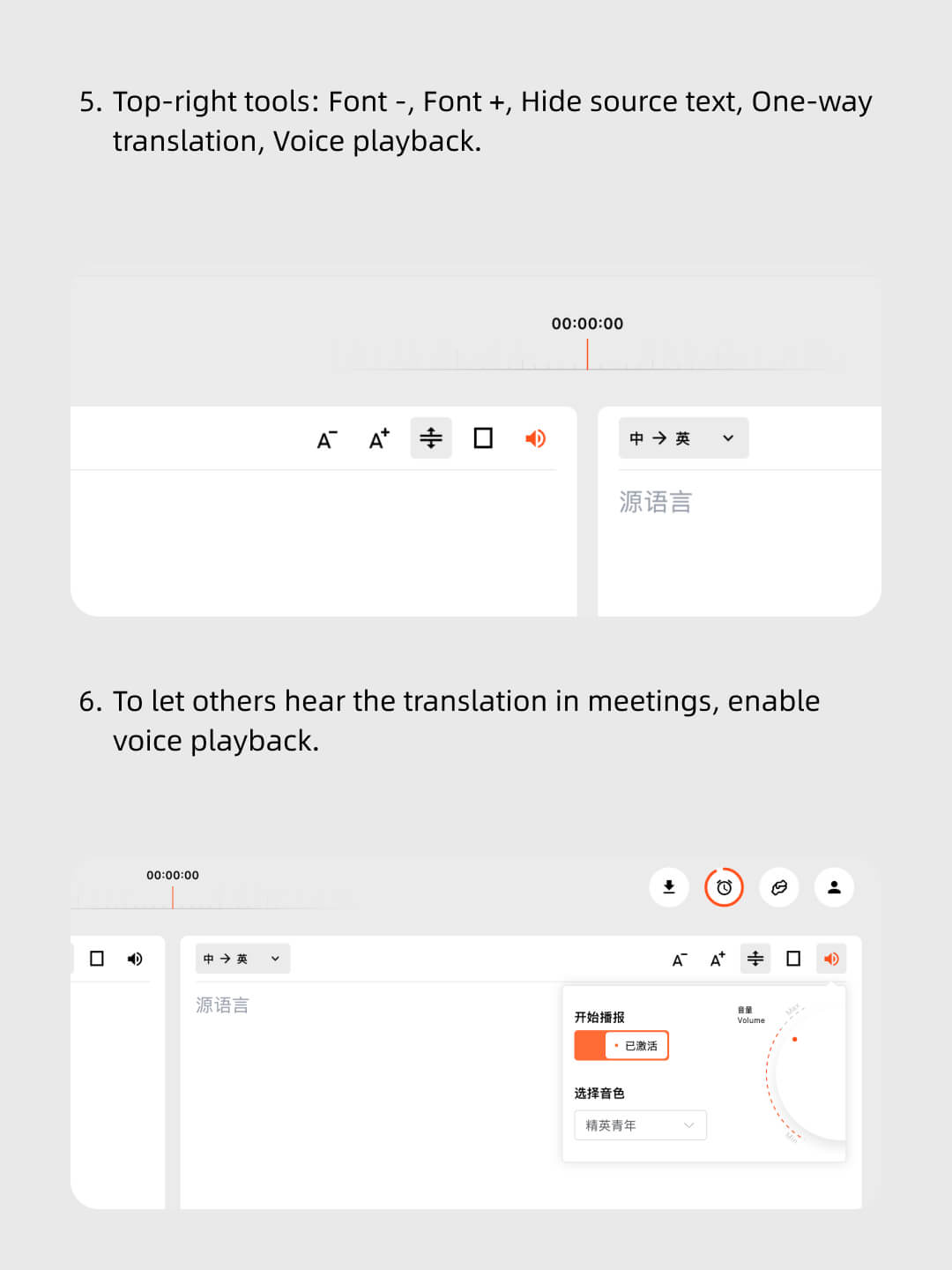
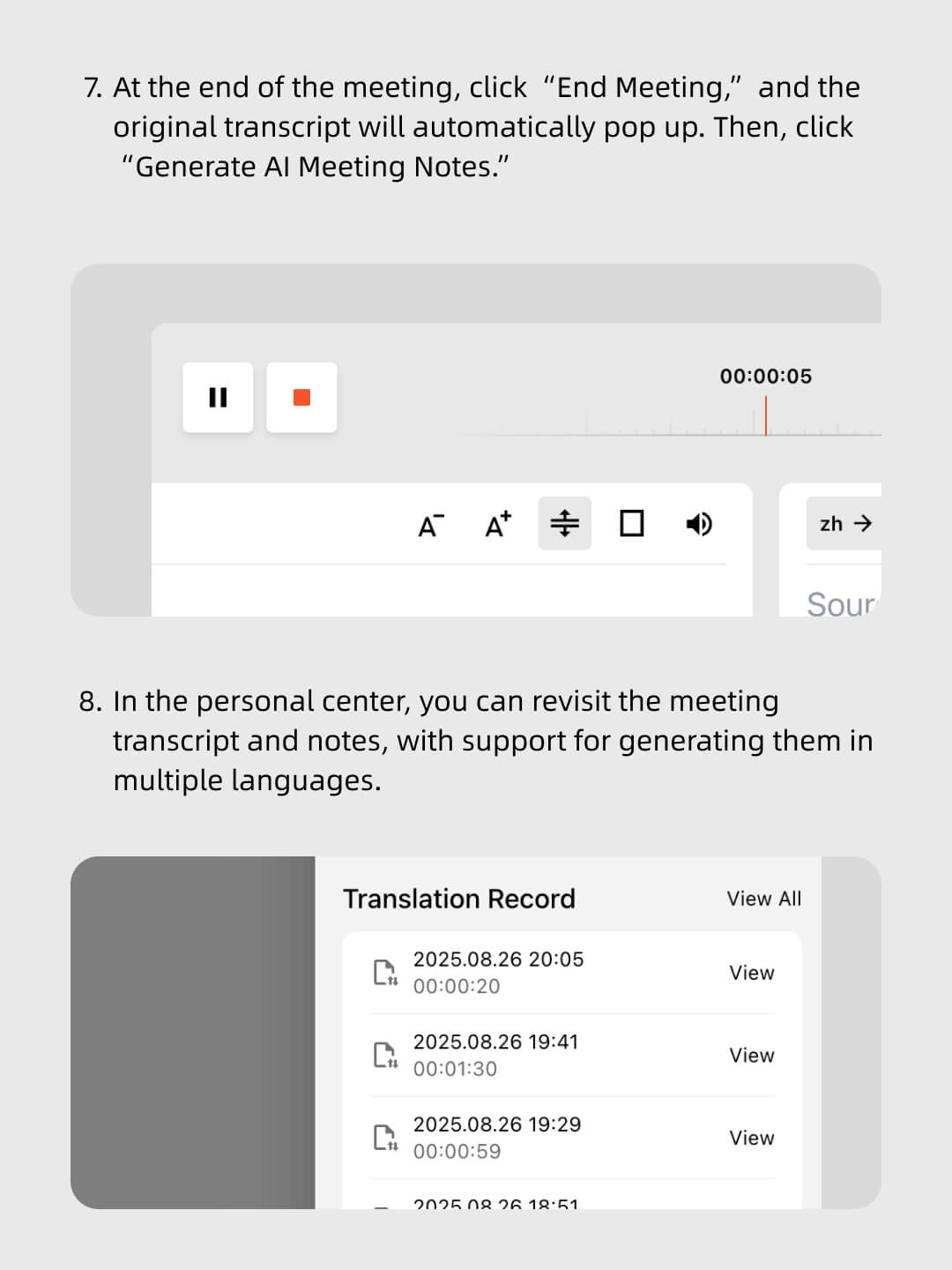
Follow the tutorial to enable Translation + Auto Notes with ease



Real-time multilingual translation throughout the meeting ensures every participant understands, with AI generating clear notes and action items afterward
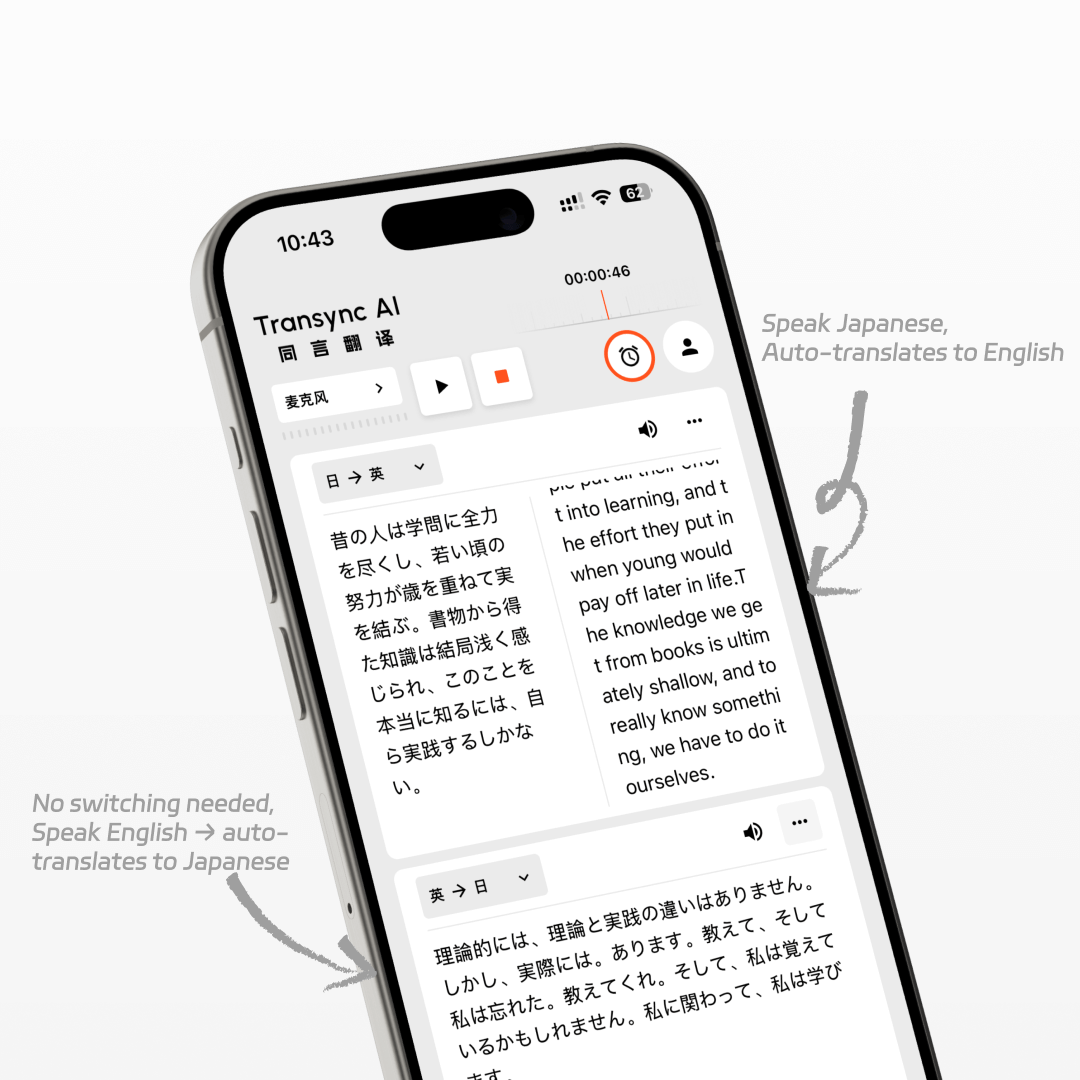
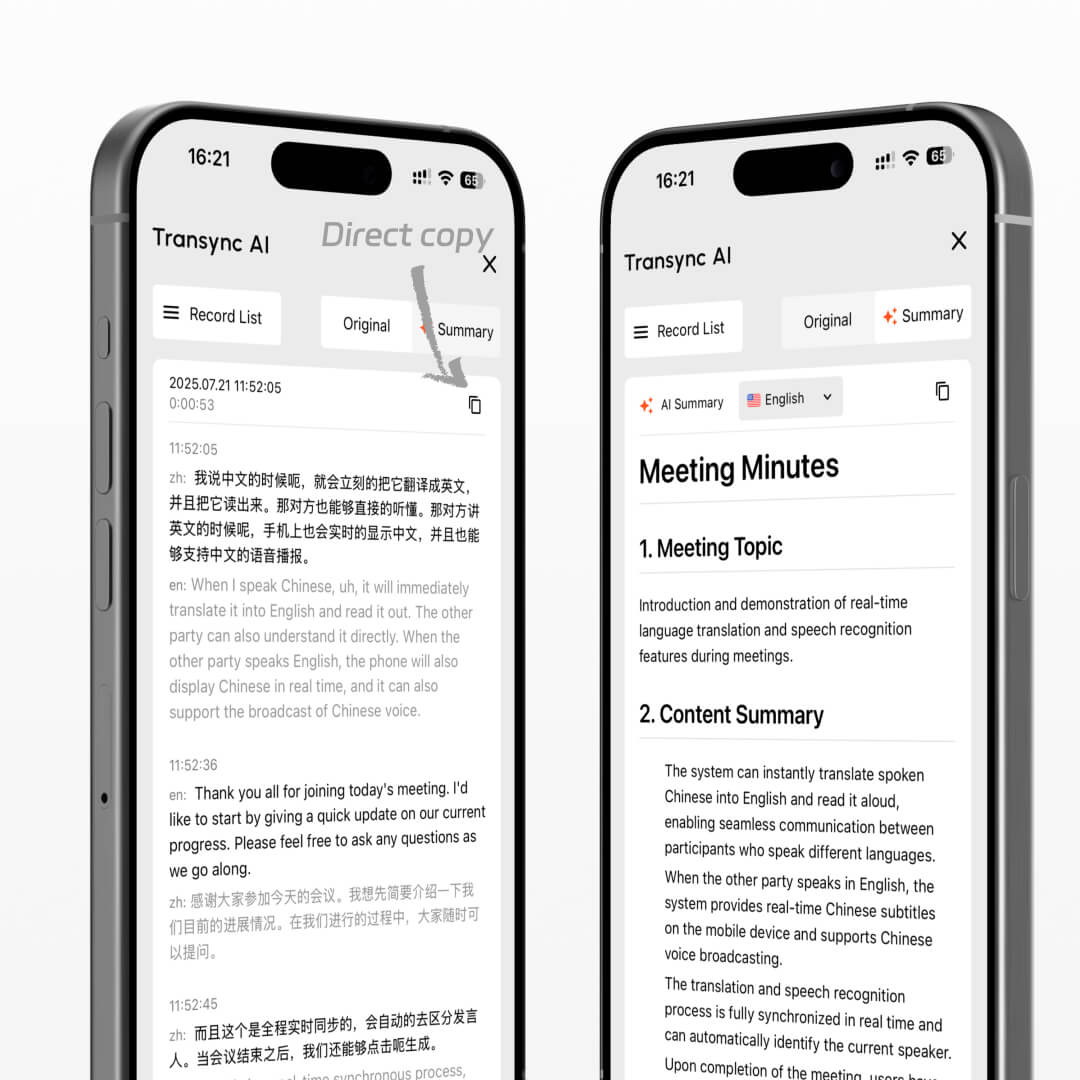
Keep the complete multilingual transcript and generate structured meeting notes in 55 languages. With Speaker Separation (Beta), speaker labels also appear in saved records and AI-generated summaries, making it easier to see who contributed each point.
Correct source or translated text in a saved meeting record before generating meeting notes. Transync AI uses the updated transcript to create a clearer summary with more accurate names, terminology, decisions, and action items.
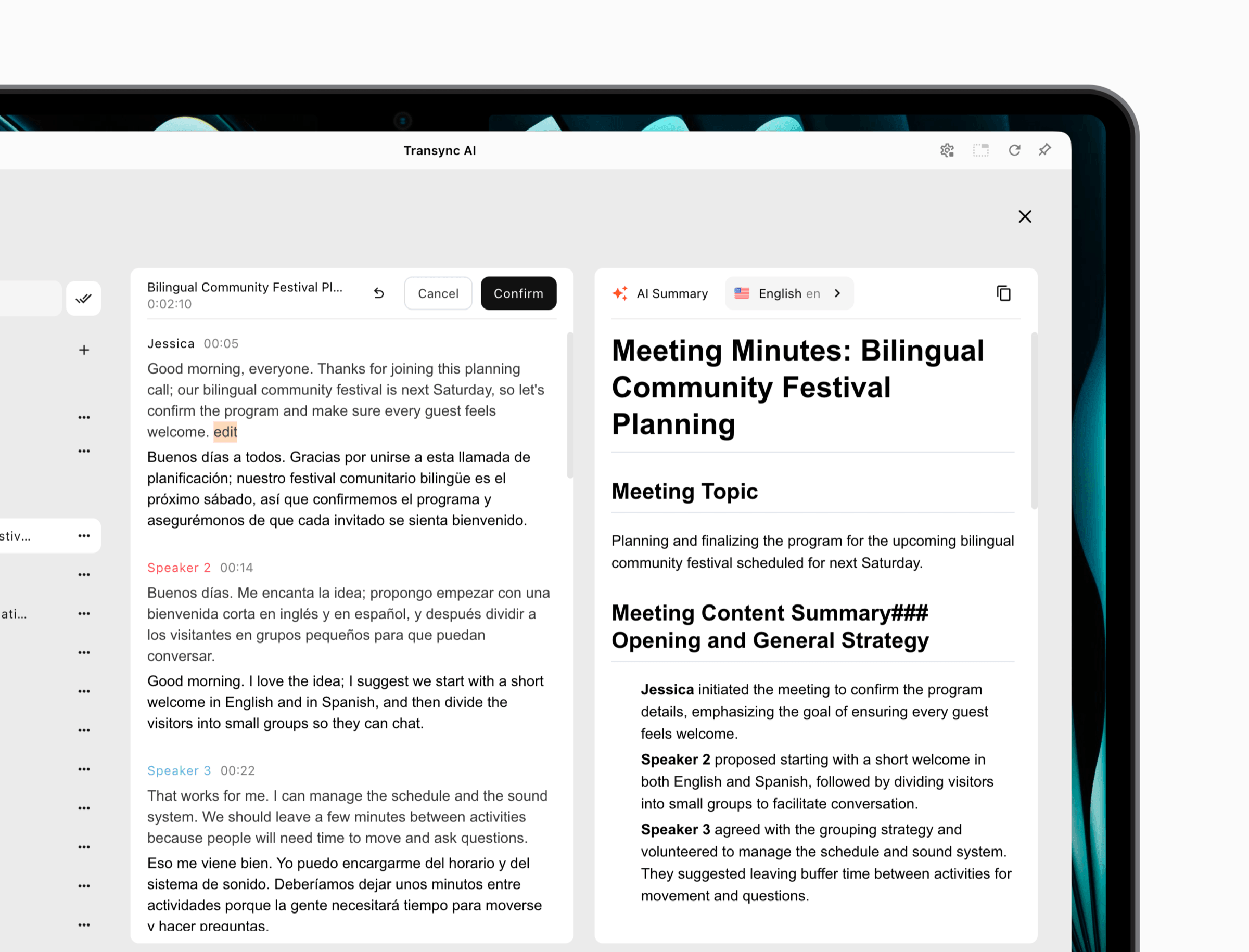
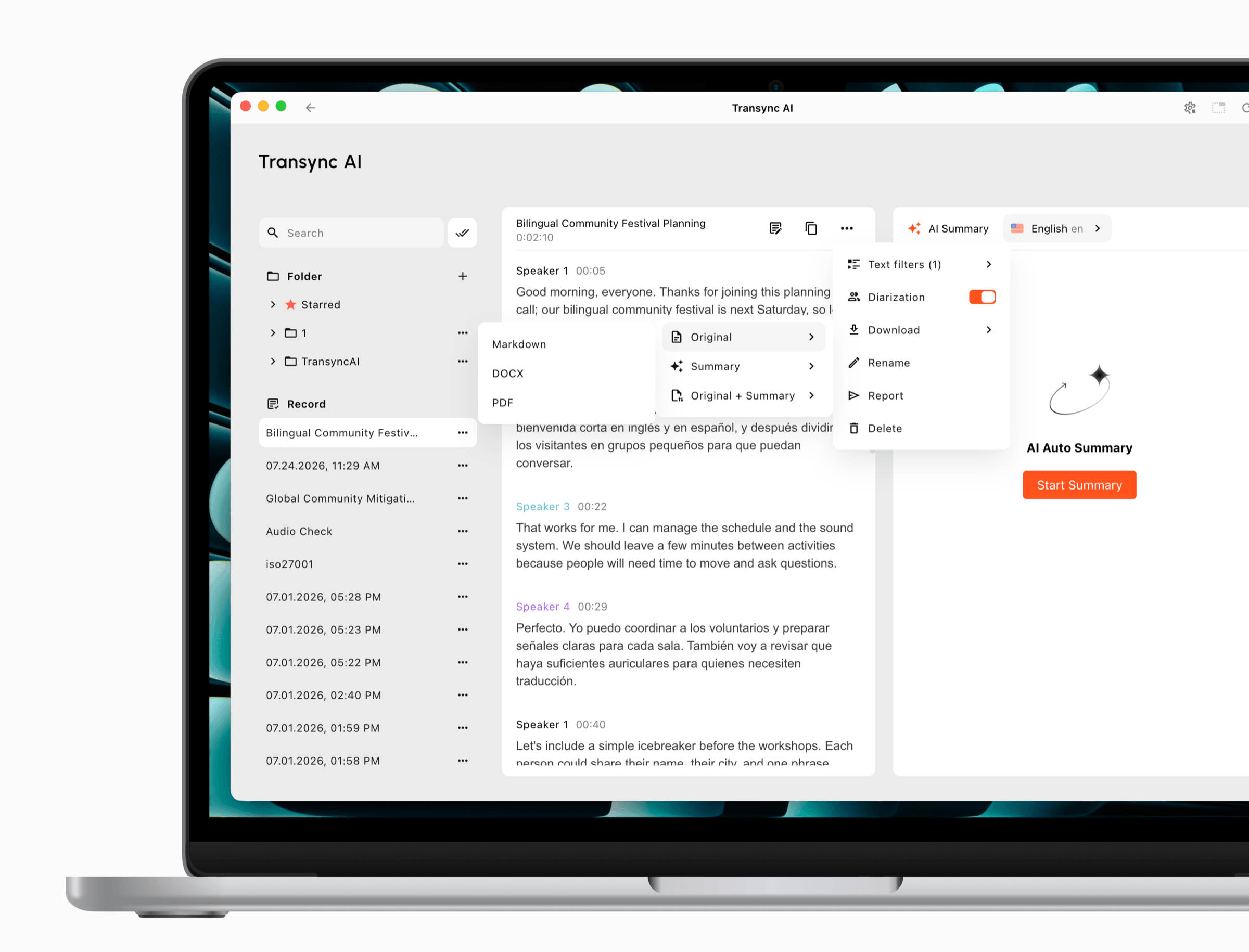
Browse past meetings, review updated records, and download the content you need from one place. Export the Original transcript, the AI meeting Summary, or Original + Summary together in Markdown, DOCX, or PDF.
Yes. Transync AI automatically preserves the complete transcript in all original languages spoken during the meeting, so nothing is lost. We securely and lawfully store meeting transcripts and AI-generated notes, but we do not retain any audio recordings. You have full control to delete your data at any time, and our practices comply with GDPR and other global privacy regulations.
AI Meeting Notes can now be generated in 55 languages, helping global teams review key points, decisions, and action items in the language they need.
Absolutely. Transync AI provides real-time multilingual translation during the meeting and generates AI-powered notes once the meeting ends.
Transync AI works seamlessly with Zoom, Microsoft Teams, Google Meet, and other major conferencing platforms, as well as on mobile and desktop apps.
With real-time translation and multilingual AI summaries, your team members can follow discussions in their own language and review clear, actionable notes afterward — ensuring alignment across time zones and regions.
Yes. You can update source and translated text in a saved meeting record before generating meeting notes. Transync AI uses the updated transcript when creating the summary.
Yes. Choose Original, Summary, or Original + Summary, then export the content in Markdown, DOCX, or PDF.
When Speaker Separation (Beta) is enabled, speaker labels remain available in saved records and AI-generated meeting summaries. Learn more about AI Speaker Separation.
Try Transync AI for free today and experience smarter meetings with real-time translation and automatic notes.
Short answers about editable multilingual transcripts, AI meeting summaries, speaker labels, downloads, privacy, platforms, and supported languages.
Transync AI captures multilingual meetings, lets you edit saved transcripts, generates meeting notes from updated content, and exports the original record, summary, or both.
Best for global meetings, customer calls, classes, interviews, and team discussions where participants need translated meeting records, summaries, and follow-up items after the conversation ends.
Human interpreters are best for high-stakes legal, medical, or formal events. Transync AI is better suited for frequent meetings, online calls, classes, and daily multilingual communication where speed, availability, and lower cost matter.
Meeting captions usually show text only inside one meeting platform. Transync AI works across meeting apps and adds bilingual subtitles, voice playback, meeting notes, and Virtual Microphone support for translated speech output.
Transync AI is designed for business communication and privacy-conscious workflows. Customer data is processed to provide the translation service and is not used for AI training. Voice Clone also does not store original recordings for training.
Transync AI supports desktop, mobile, and web workflows, including macOS, Windows, iOS, Android, and browser-based use cases. It can be used with Zoom, Microsoft Teams, Google Meet, WhatsApp calls, and in-person meetings.
Transync AI supports 60+ languages for real-time translation, including Chinese, English, Japanese, Korean, Cantonese, German, French, Russian, Italian, Spanish, and many other global languages.